
From the archive · Dale Spoonemore
Designing UI with ImageGen before implementation
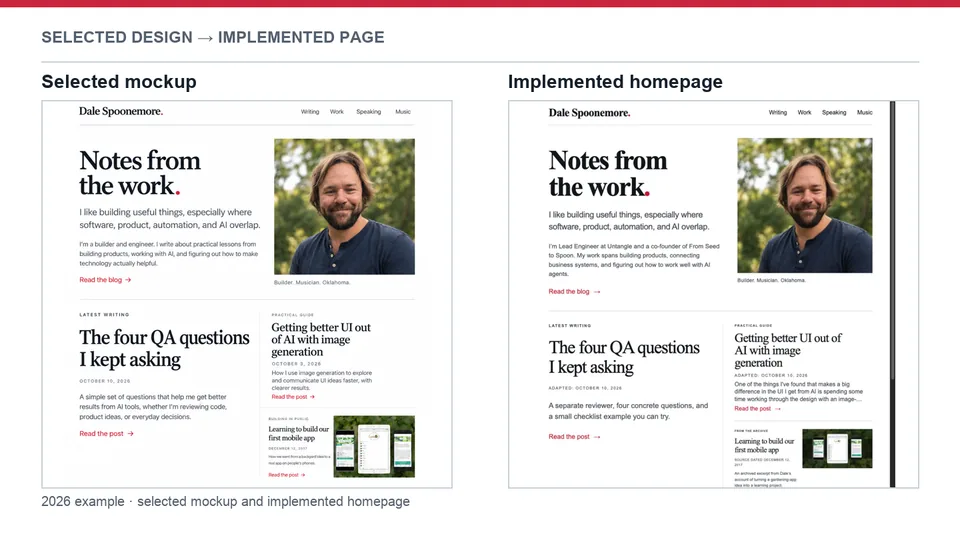

One tip that completely changed the quality of the UI I get from Codex and Claude.
I see people talk about how they can’t get original or nice-looking UI out of Codex or Claude, and I wanted to pass along something I started doing several months back that made a huge difference.
Instead of having Codex or Claude design the UI, I work with ImageGen first to generate mockups of what the UI should look like.
My process typically looks like this:
• First, I brain dump everything I can using Voice Chat about what I’m wanting to build. I also pass along screenshots for inspiration of things I like or directions I might want to work toward.
• Then I ask ImageGen to create eight different versions. For the first four, I tell it to keep things pretty close to how we normally do things. For the other four, I tell it to go wild, be as creative as possible, and come up with unique ideas.
• I’ll take those eight images, pick my favorite elements from each, and ask it to generate four more concepts that combine the best parts together.
• By that point, I usually have one that I absolutely love. I hand that image to Codex or Claude with a simple prompt:
“Build the UI until it looks exactly like this screenshot.”
I’ve found that AI is much better at implementing a great design than inventing one from scratch. Separating the creative design phase from the implementation phase has consistently given me much better-looking applications, while also speeding up the iteration process.